Company-secretarial work, in one place. 公司秘書工作,盡在一處。
One system for a Hong Kong practice's companies, people, filings and checks — in your browser, and in both languages. 一套系統,處理香港事務所的公司、人物、存檔與核查——在瀏覽器內運行,中英兼備。
Existing client? Sign in · 現有客戶請登入
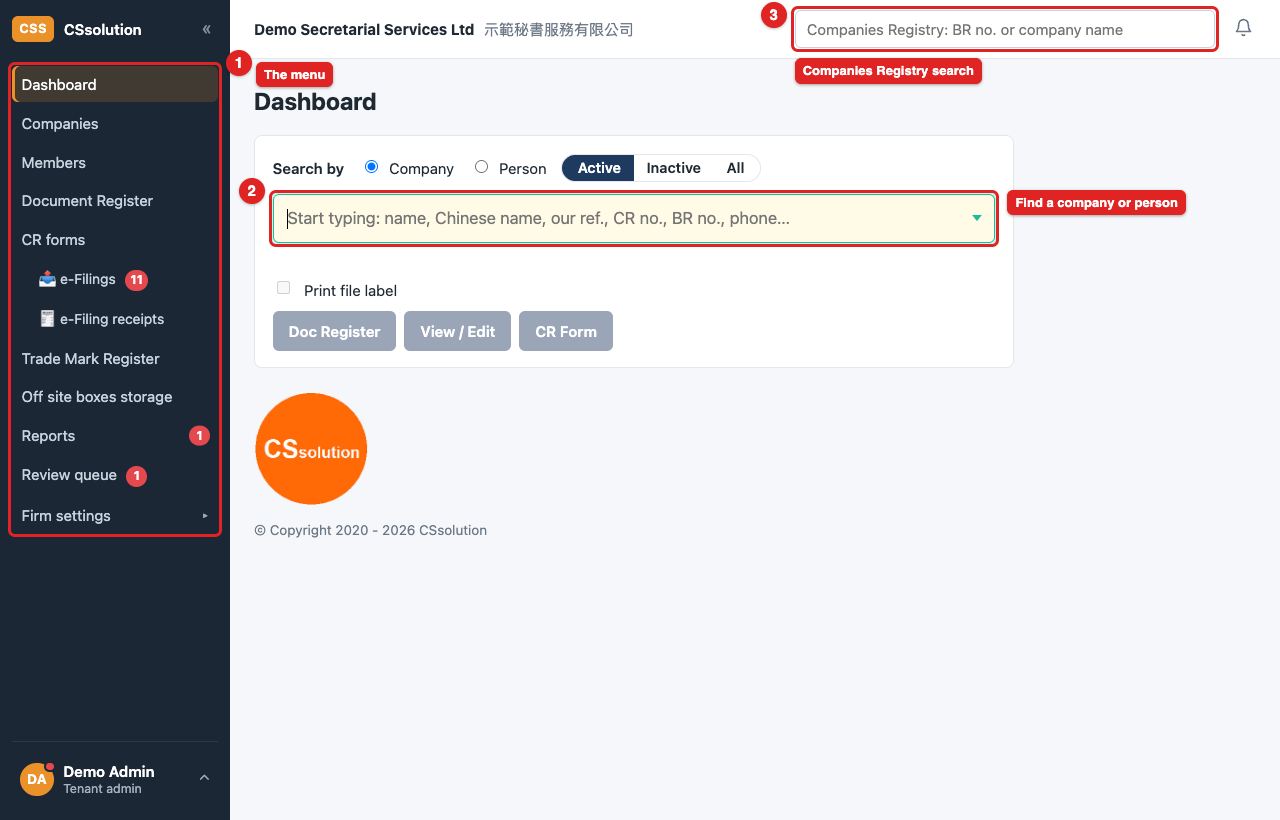
Familiar on purpose.刻意保持熟悉。
The screens follow the system your team already knows, so the switch is a change of address, not a change of habits. And what the app does not claim, it says so. 畫面依循 貴團隊早已熟習的系統,轉換的是登入地址,而非工作習慣。系統不會誇大其沒做到的事——實情如何, 就如實說明。
Registers, SCR & share certificates. The statutory registers, the Significant Controllers Register and share certificates — printed from the company's own record.
法定登記冊、SCR 及股票。法定登記冊、重要控制人登記冊及股票——從公司本身的記錄列印。
CDD & risk records kept. Identity checks and screening recorded against each person, the history kept; each risk assessment keeps its rating, source of wealth and funds, and the next review date.
盡職審查及風險紀錄。身份核實及篩查逐一記錄於每位人士名下,歷史保留;每份風險評估保留其評級、 財富及資金來源,以及下次覆核日期。
Trade Mark Register, switched on for the firms that need it.
商標登記冊,為有需要的事務所開啟。
An approval process you can set. Switch on Review before posting and a colleague's change waits for a supervisor — never the maker's own. Off by default.
可自行設定的審批流程。開啟「張貼前覆核」,同事的修改會待主管批准——製作人不能批准自己的修改。 預設關閉。
Encrypted, kept apart, and audited.加密、分隔,並留有紀錄。
Sensitive data encrypted inside the database — ID and passport numbers, dates of birth, mobile numbers, sources of wealth and medical certificates. Unreadable without your firm's own key, kept apart from the data.
敏感資料在資料庫內加密——身份證及護照號碼、出生日期、手提電話、財富來源及醫生證明書。 沒有 貴公司專屬、與資料分開保存的密鑰,無法讀出。
Each firm's records kept apart by the database itself (row-level security), not only by the screens. Backups are encrypted before they leave the server.
各公司資料互不相通,由資料庫本身(列級安全)分隔,而非只靠畫面。備份離開伺服器前先加密。
Secure sign-in. Two-factor is required on this deployment — an authenticator app, or a passkey. A Google Workspace firm may also use Google sign-in.
安全登入。本部署必須使用雙重認證——驗證器應用程式,或通行密鑰。使用 Google Workspace 的公司 亦可透過 Google 登入。
Everything recorded. Every change, sign-in and export is written to an audit log that is never edited or deleted.
一切均有紀錄。每項修改、登入及匯出都寫入永不修改或刪除的審計紀錄。
Where the limits are. Encryption protects your data against copies of the database and its backups, and against access to the database without the app; it does not hide a record from a user your firm has allowed to see it. Residential addresses and salary figures are not yet encrypted field by field.
限制,如實說明。加密保護 貴公司的資料免遭資料庫及備份被複製,以及免遭繞過系統直接接觸資料庫; 但對於 貴公司已准許查看該紀錄的使用者,加密並不能隱藏該紀錄。住址及薪酬數字尚未逐欄加密。
Billed yearly, one user included.按年收費,已包括一名使用者。
Every plan starts with a 15-day free trial. There is no set-up fee. 每個方案提供 15 日免費試用。不設開戶費。
| Plan · 方案 | Companies · 公司 | A year · 每年 |
|---|---|---|
| 50 companies 50 間 | up to 50 最多 50 | HK$5,000 |
| 100 companies 100 間 | up to 100 最多 100 | HK$9,000 |
| 200 companies 200 間 | up to 200 最多 200 | HK$12,000 |
| 400 companies 400 間 | up to 400 最多 400 | HK$16,000 |
| 1,000 companies 1,000 間 | up to 1,000 最多 1,000 | HK$25,000 |
Extra users: HK$1,000 a year for each add-on user place.
額外使用者:每個附加使用者席位每年 HK$1,000。
1,000-company plan: HK$1,000 for each further 50 companies.
1,000 間公司方案:每增加 50 間公司為 HK$1,000。
CR e-filing add-on: 20% of the plan price, at most HK$5,000 — the add-on that lets a prepared CR form be filed with the Companies Registry from the app; the Registry's receipts are kept.
電子提交附加費:方案價格的 20%,上限 HK$5,000——此附加功能讓已擬備的公司註冊處表格 在系統內送交公司註冊處;該處收據予以保留。
Government and insurance fees are not included and are charged at cost where they apply.
不包括政府及保險費用,如有,將按實際費用收取。
Prices as the CSsolution system itself holds them, in Hong Kong dollars. Need a plan between these? Talk to us. · 價格以 CSsolution 系統本身所載為準,以港幣計。需要其他規模的方案?請與我們聯絡。
Register your firm.登記 貴公司。
Registration is an application at the CSsolution app, reviewed by us. 登記是在 CSsolution 應用程式提交的申請,由我們審核。
Fill in the form
Your firm's Business Registration No. (we look your firm up at the Companies Registry), a contact person, how many companies you will manage, and a picture code.
貴公司的商業登記號碼(我們會在公司註冊處查看 貴公司資料)、聯絡人、將管理的公司數目,以及一個圖像驗證碼。
We review and activate
CSsolution reviews your application and activates your firm, usually within one working day.
CSsolution 審核 貴公司的申請並開通帳戶,通常於一個工作天內完成。
Open the activation link
We e-mail an activation link; opening it lets you choose your own password and sign in. Your 15-day free trial starts then.
我們會以電郵送出啟動連結;開啟後即可自行設定密碼並登入。15 日免費試用期由該時開始。
Nothing is usable until we approve your firm and you open the activation link. No password is chosen at registration; the set-up e-mail is what lets you in. There is no instant account — registering is an application.
在 CSsolution 批准 貴公司並開啟啟動連結之前,帳戶未能使用。登記時不設定密碼;開通電郵才是進入系統的 途徑。登記並非即時開戶,而是一項申請。
A look inside.系統一覽。
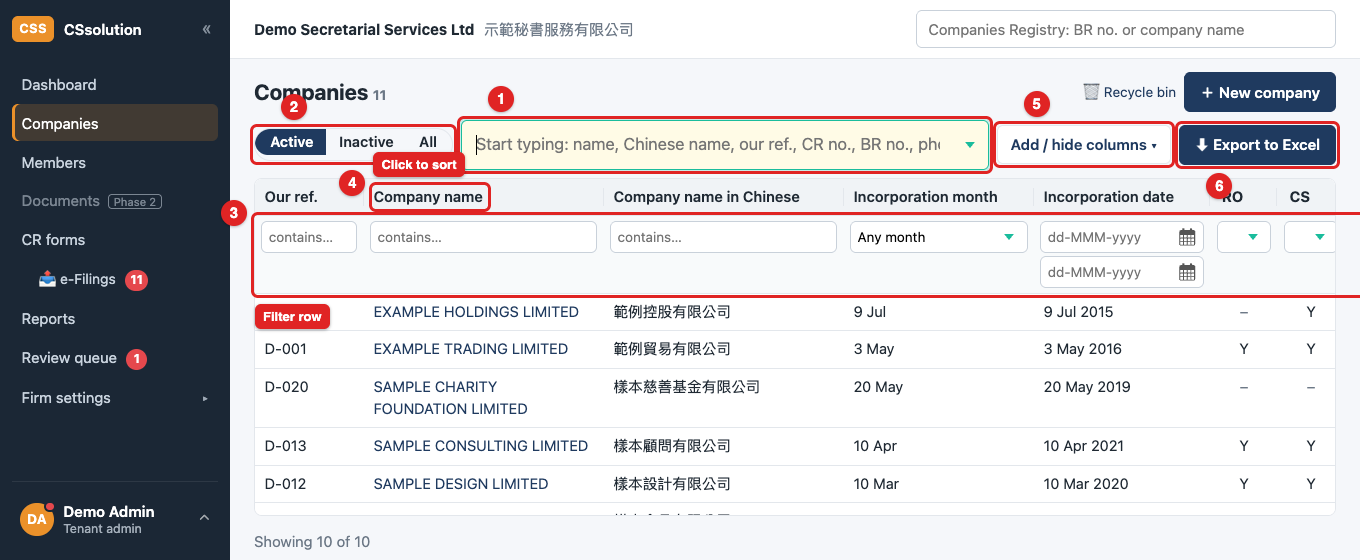
Companies & members
公司及成員
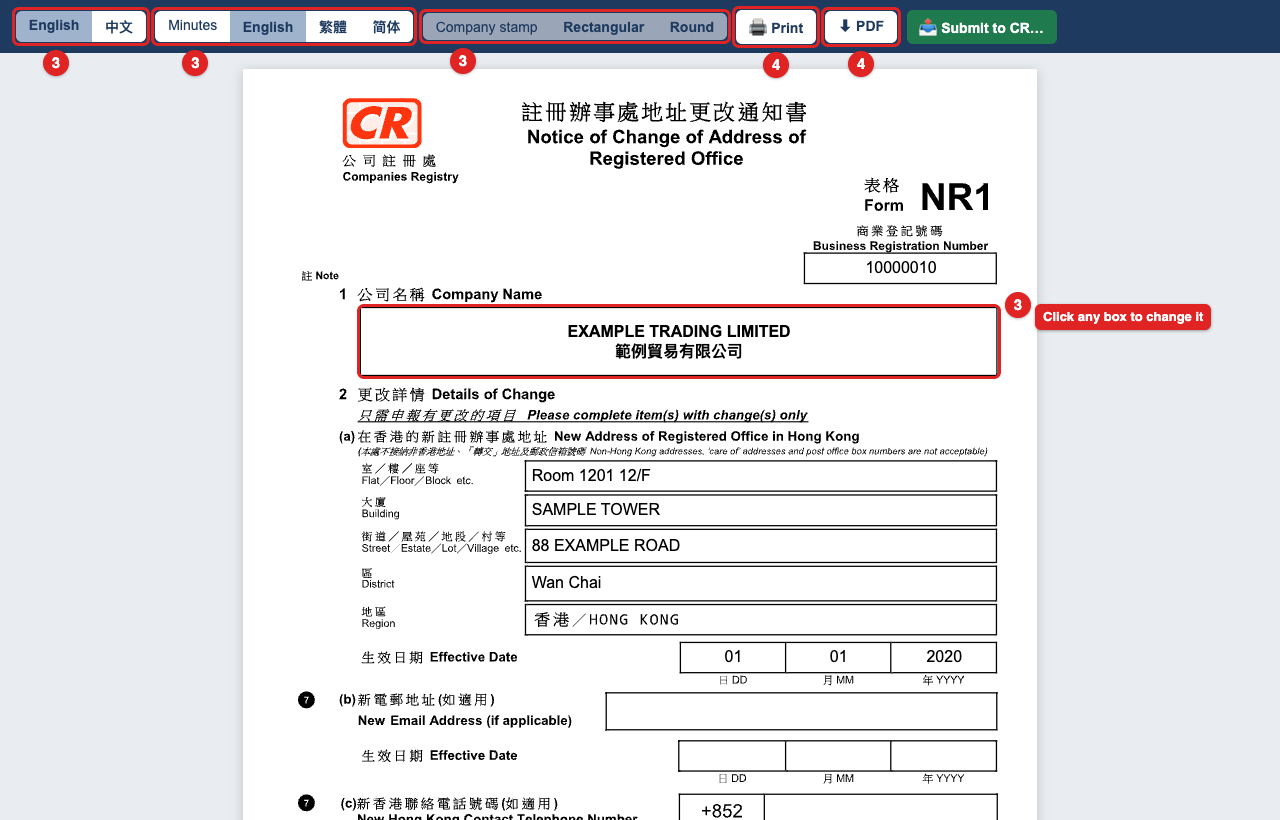
A Registry form, filled
已填妥的註冊處表格
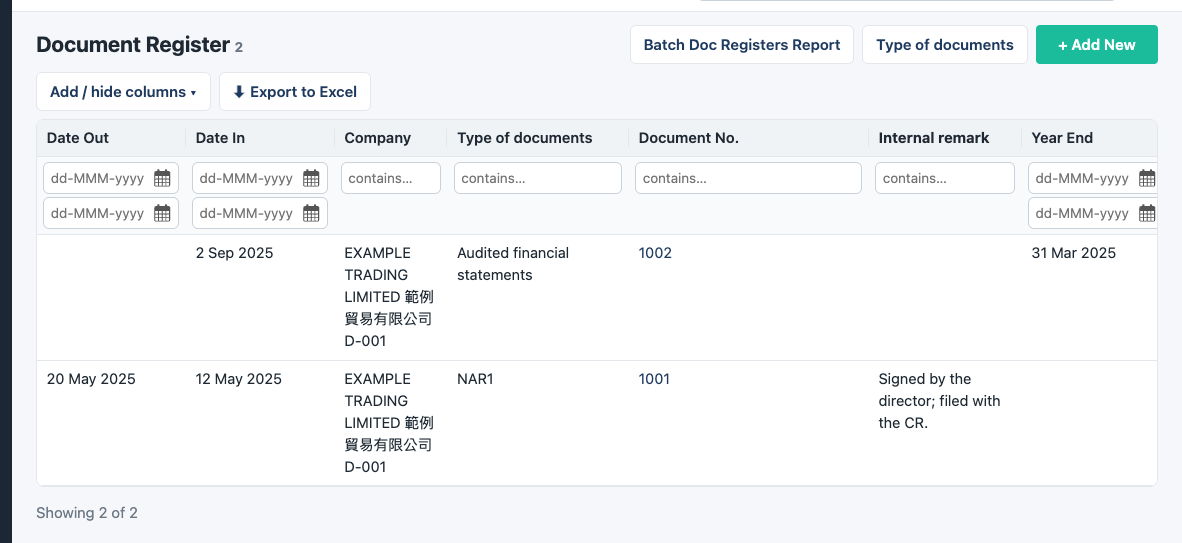
The Document Register
文件登記冊
The screens shown are examples, from a copy of the app that holds invented data only. 所示畫面僅作示例,取自一個只載有虛構資料的應用程式副本。